 kalpana
■ Product
One design in. Every product, size and format out.
Kalpana sits between your Figma file and your catalog. It keeps the layout rules your designer set and applies them to every row of data.
Trail Runner
$129
Auto layout
Variables
- product_titleTrail Runner
- price$129
- imageshoe.jpg
01 / Design
Your Figma frame becomes a template.
Send it with the plugin. Auto-layout, fonts and effects arrive intact, and you mark the layers that change per row.
Learn more about design- Frame
- Titlevar
- Pricevar
- Badgevar
- Imagevar
Send to Kalpana
- Title synced
- Price synced
- Badge synced
- Image synced
02 / Data
One catalog feeds every template.
Connect Shopify, WooCommerce, Sheets or Airtable once. A campaign feed runs the same rows through all your templates, one per size.
Learn more about dataCampaign feed
- Trail Runner$89
- Field Watch 38mm$149
- Studio Over-Ear Wireless Headphones with Active Noise Cancelling$219
- Everyday Knit Sneaker, Recycled Upper$74
312 rows · 3 templates
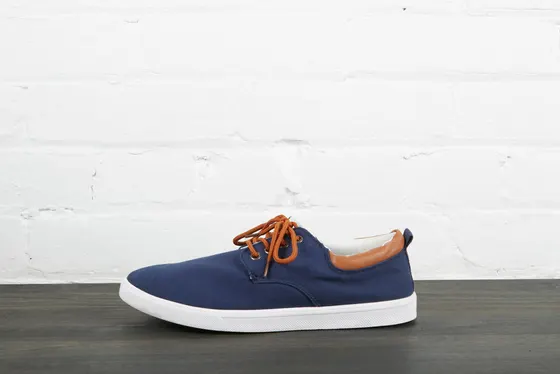
Trail Runner
$89$120
Trail Runner
$89$120
Trail Runner
$89$120
03 / Proof
Every row checked before a credit is spent.
Edit data in the batch grid, validate it and preview any row. Then generate and watch each creative finish live.
Learn more about proof| # | product_title | price | image | status |
|---|---|---|---|---|
| 1 | Trail Runner | $89 | shoe.jpg | done |
| 2 | Field Watch 38mm | $149 | missing | check |
| 3 | Studio Headphones | $219 | phones.jpg | rendering |
| 4 | Everyday Knit Sneaker | $74 | knit.jpg | queued |
| 5 | Titanium Dive Watch | $429 | dive.jpg | queued |
04 / Deliver
Sorted packs, named from your data.
Download ZIPs or save to Google Drive, Dropbox or OneDrive, with file names built from any field.
Learn more about deliverFile name pattern
- TR-001_1x1.png
- TR-001_9x16.png
- FW-038_1x1.png
Send to
Motion
The same rows make the video ads.
Animate any template on a timeline with keyframes, text reveals and audio. Chain templates into storyboards and export MP4 and GIF for every row.
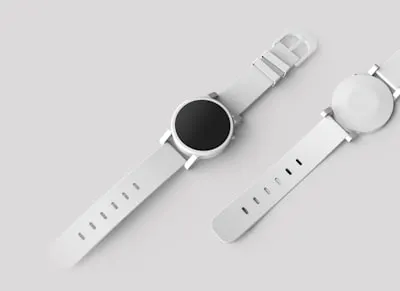
Field Watch 38mm
$149
Everything in the box
Ten features, one pipeline.
Design
Figma import
Send any Figma frame to Kalpana with the plugin. Layers, fonts, effects and auto-layout arrive intact, ready to bind to data.
Template editor
A full property editor for every layer: auto-layout, fills, strokes, effects and type, plus the variables that bind each layer to your data.
AI image editing
Describe an edit in plain words or expand a photo to a new aspect ratio with generative fill. Results go straight into your asset library.
Output
Bulk generation
Import rows, map fields, fix data in a grid, validate and preview before a single credit is spent. Then generate and watch each creative finish live.
Motion and video
Animate any template on a timeline with keyframes, text reveals and audio, then export MP4 and GIF for every row. Combine templates into storyboards.
Export and delivery
Download organised ZIP packs, name files from your data, and save straight to cloud storage.
Workspace
Asset library
A shared library for images, fonts and audio, organised in collections and ready to drop into any template or batch.
Teams and workspaces
Organisations hold workspaces, workspaces hold templates and assets, and roles decide who can design, run or review.
AI agents (MCP)
Kalpana's MCP server lets AI agents find templates, check inputs, validate data and start batches, all inside your workspaces.
Straight answers
Common questions.
Can Kalpana publish to Meta or Google Ads?
Not yet. Today you download the pack or save it to cloud storage, then upload it to your ad platform.
Is there a REST API?
Yes. Create an API key in Settings and call the REST API to find templates, validate rows, run batches and fetch outputs. Zapier, Make and n8n apps are not available yet.
Does Kalpana design for me?
No. It produces the design you made, for every row of data. AI tools help with images, not with layouts.
Which formats can it produce?
PNG, JPEG, WebP, GIF and MP4, at any size your templates use.
Ready when your catalog is
Run your next sale from one design.
Import a Figma frame, connect your catalog and preview every row before you spend a credit.