 kalpana
E-commerce brands
NowEvery sale, drop and new market means rebuilding the same ads.
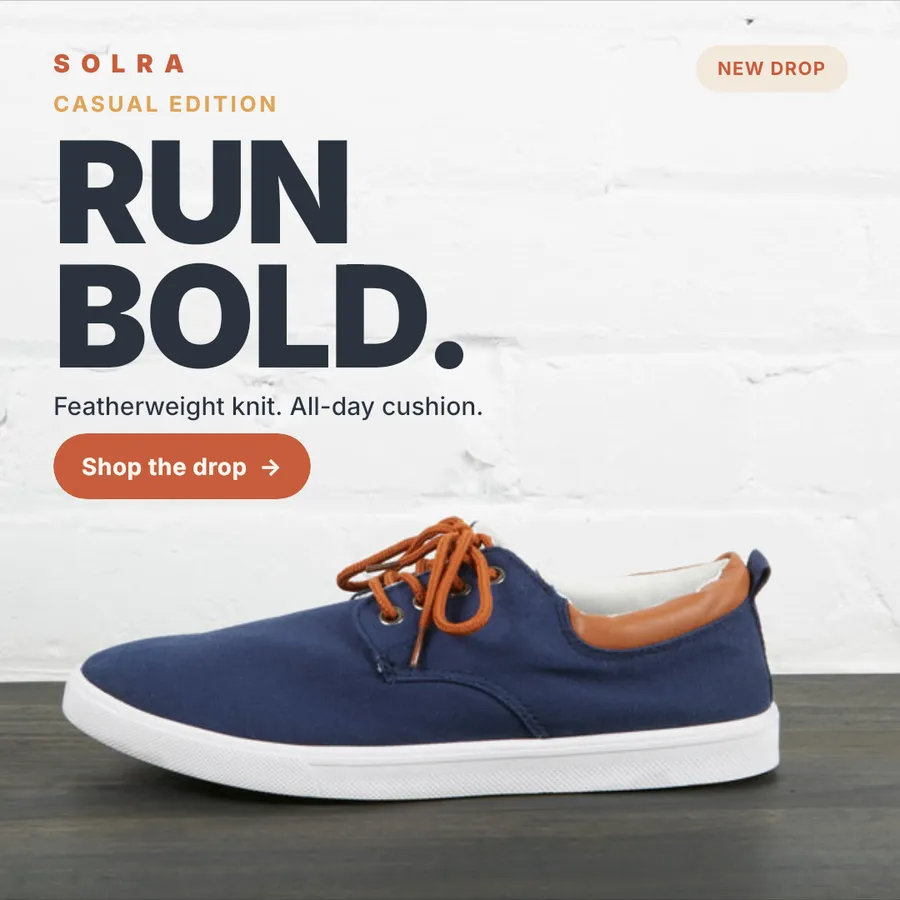
With KalpanaConnect the store once. New products flow into every template.
Shopify product ads →Connect your catalog to a Figma design once. Get every banner, ad and listing image, for every SKU and size, exactly as designed.
100 free credits to start. No credit card.
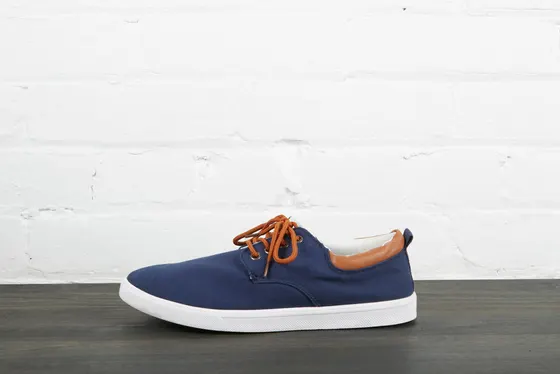
Trail Runner
$89$120
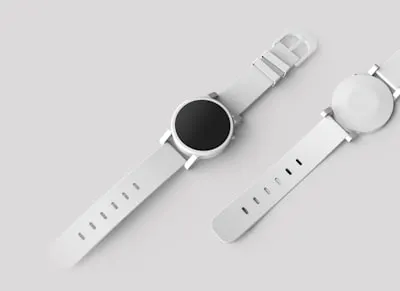
Field Watch 38mm
$149

Studio Over-Ear Wireless Headphones with Active Noise Cancelling
$219$259
Everyday Knit Sneaker, Recycled Upper
$74
Chrono
$310$360
Buds Mini
$39
The problem
Every new SKU, sale, market and ad size is another round of text swaps, image changes and exports. The design is done. The work is repeating it.
Work order, Black Friday
| SKUs in the sale | 312 |
| Ad sizes (1:1, 4:5, 9:16, 1.91:1) | × 4 |
| Files to edit, check and export | 1,248 |
| Titles too long for the layout | ~90 |
| Designers available this week | 1 |
Or: design one template, and let the data do the rest.
Why Kalpana
Kalpana imports the design itself and applies its rules to each row of your data, so real catalog copy fits the way your designer intended.
Figma frames import with their layers, text styles, effects and auto-layout intact, ready to edit and bind to data.
Auto-layout runs again for each row, so a longer title grows its box and moves what follows. Fixed text boxes can shrink text to fit.
Row previews come from the same engine that makes your final files, so what you check is what you get.
Add a timeline to the same template and export MP4 and GIF from the rows you already mapped.
Design
Send frames with the plugin. Auto-layout, fonts and effects arrive intact, ready to bind to your data.
Send to Kalpana
Layers, auto-layout, fonts, masks and effects, with nothing to rebuild.
Tune spacing, type and effects, and bind any layer to a data field.
No design yet? Start from templates already mapped to catalog fields.
Data
A campaign feed sends the same product rows through each template in the campaign, one template per size, and you preview rows before a credit is spent.
Campaign feed
312 rows · 3 templates
Trail Runner
$89$120
Trail Runner
$89$120
Trail Runner
$89$120
One feed, many templates: square, story and banner templates in a single run.
Edit rows in place, validate data and preview any row before generating.
Shopify, WooCommerce, Google Sheets, Airtable, CSV and Excel.
Output
Animate any template on a timeline, fix product photos with AI, and deliver sorted packs to wherever your team works.
Field Watch 38mm
$149
Keyframes, text reveals and audio, exported as MP4 and GIF for every row.
Expand a square shot to a story or banner, or edit it with a prompt.
ZIPs named from your data, or saved to Drive, Dropbox and OneDrive.
Agents and API
Any MCP client can find templates, validate rows and create campaigns in your workspaces. Or call the same endpoints from your own code.
Run the season sale template for these 40 products in square and story sizes
Twelve tools for templates, assets, batches and outputs, scoped to your role.
Find templates, validate rows, run batches and fetch outputs with an API key.
A workspace per brand or client, with roles for everyone.
Who it is for
NowEvery sale, drop and new market means rebuilding the same ads.
With KalpanaConnect the store once. New products flow into every template.
Shopify product ads →NowAmazon, Flipkart and Etsy each want their own image rules.
With KalpanaOne product sheet, one template per marketplace, every listing done.
Amazon listing images →NowResizing client campaigns eats the hours you meant to bill for strategy.
With KalpanaA workspace per client, with their fonts and templates, ready for every run.
Kalpana for agencies →Templates
Each template is already mapped to catalog fields. Swap in your brand, connect your products and run.
Questions
No. Select a frame in Figma and send it with the Kalpana plugin. Layers, fonts, effects and auto-layout come across, and you mark which layers change per row.
Kalpana re-runs your auto-layout for that row. Text wraps and pushes the elements around it the way it would in Figma, and fixed-size text boxes can shrink the text to fit.
Shopify, WooCommerce, Google Sheets, Airtable, or an uploaded CSV or Excel file. Images can be URLs, files in your Kalpana asset library, or Google Drive.
Yes. Add keyframe animation and an audio track to a template, and Kalpana creates MP4 and GIF from the same rows as your static images.
By credits. One image is one credit, and video costs one credit per second at 1080p. You can preview every row before generating, so you only pay for what you keep.
Yes. Kalpana runs an MCP server, so an agent can search your templates, check the fields they need, estimate credits and start a batch.
Ready when your catalog is
Import a Figma frame, connect your catalog and preview every row before you spend a credit.